Super Tab
Your Day, Supercharged — Right from Your New Tab.
Replace the boring Chrome new tab with a smart dashboard built for tech professionals. Manage your tasks, track stocks, and stay updated with tech news — all in one elegant view.
How It Works
3 Simple Steps to Get Started
Transform your Chrome new tab into a powerful productivity hub for developers, designers, and tech enthusiasts.
Add to Chrome
Install Super Tab directly from the Chrome Web Store — it takes just a few seconds.
Customize Your Dashboard
Choose your preferred widgets: To-Do List, Stock Tracker, Tech News Feed, Weather, and more.
Boost Your Productivity
Start your day with focus — view your key tasks, stock updates, and tech headlines the moment you open a new tab.
Profit!
Start your day with focus — view your key tasks, stock updates, and tech headlines the moment you open a new tab.
Why Professionals Love Super Tab
Smart To-Do Manager
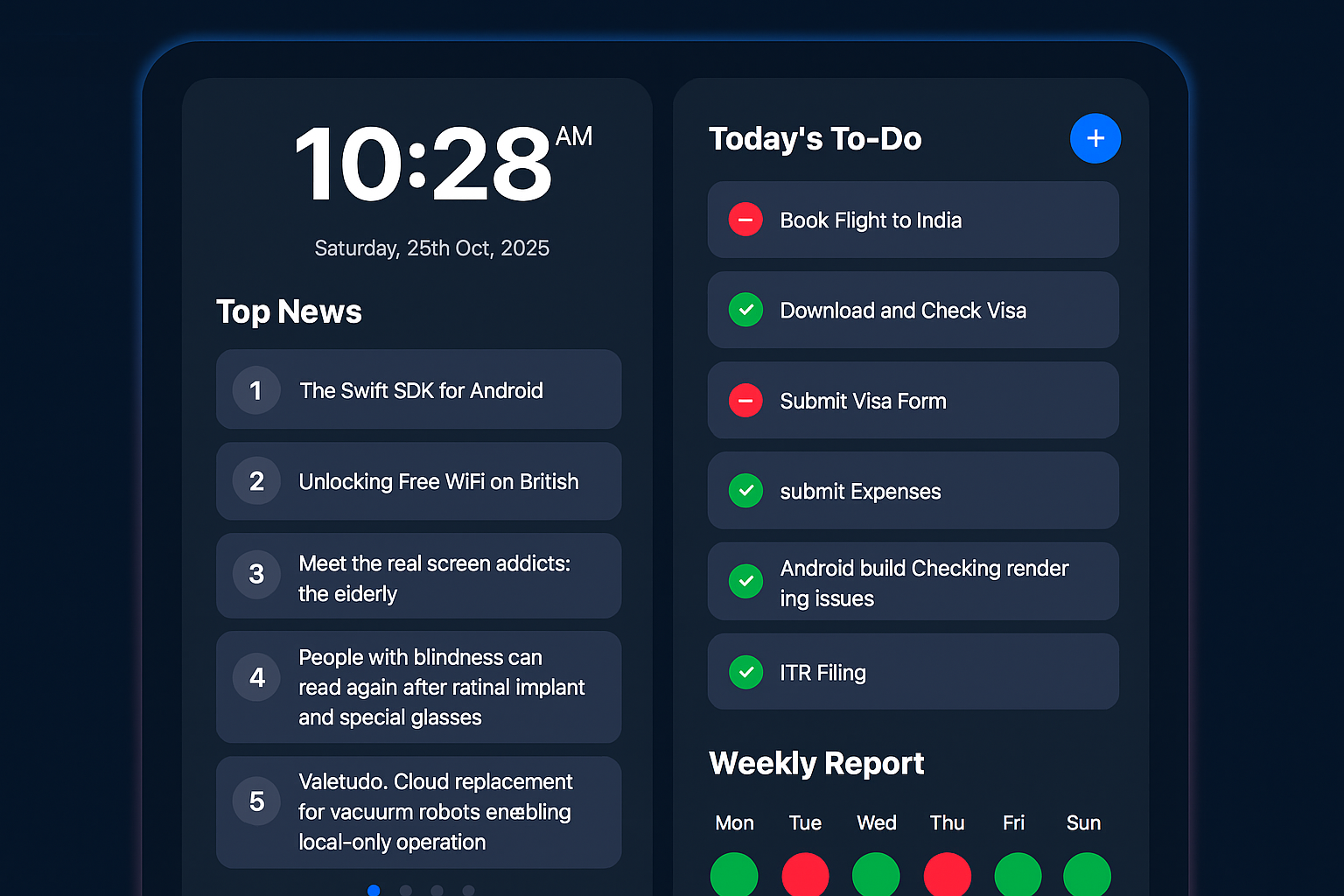
Stay organized with a clean, intuitive to-do list that greets you every time you open a new tab. Add, check off, and prioritize tasks effortlessly — without ever leaving your browser.
Curated Tech News
Get the latest headlines from trusted tech sources like TechCrunch, The Verge, and Hacker News — right beside your task list, updated in real time.
Live Stock Updates
Keep an eye on your favorite stocks and market trends at a glance. Super Tab displays daily movements to help you make smarter investment decisions.
Minimal, Distraction-Free Design
Crafted for clarity and focus — dark mode, elegant typography, and a fade-edge aesthetic that turns your new tab into a calm workspace.
Privacy-First Approach
No sign-ups, no tracking, no data collection. Everything — from your tasks to your preferences — stays securely in your browser.
Weekly Productivity Insights
Visualize your progress with a simple weekly report that shows when you were most productive — helping you plan your week better.
Frequently Asked Questions
What is Super Tab?
Super Tab is a Chrome extension that replaces your default new tab page with a personalized dashboard — showing your to-do list, live stock updates, and the latest tech news.
Do I need to create an account?
No sign-up required! Super Tab stores your data locally in your browser, so your tasks and preferences stay private and secure.
Can I customize what I see on the new tab?
Absolutely. You can enable or disable widgets like the To-Do List, Stock Tracker, and News Feed to suit your workflow.
Does Super Tab track my browsing data?
No. Super Tab does not collect or track your browsing history. All your data remains private and local to your device.
Is Super Tab free to use?
Yes! The core features — To-Do List, Stock Updates, and Tech News — are completely free. Premium features may be introduced later.